The internet monitor that gives you proof

A native menu bar app for your Mac that catches outages as short as one second, keeps the evidence separated by network, and turns it into a PDF report your provider can't argue with.

Download on the Mac App Store

US$4.99, one-time purchase · macOS 14 or later · App Privacy: Data Not Collected

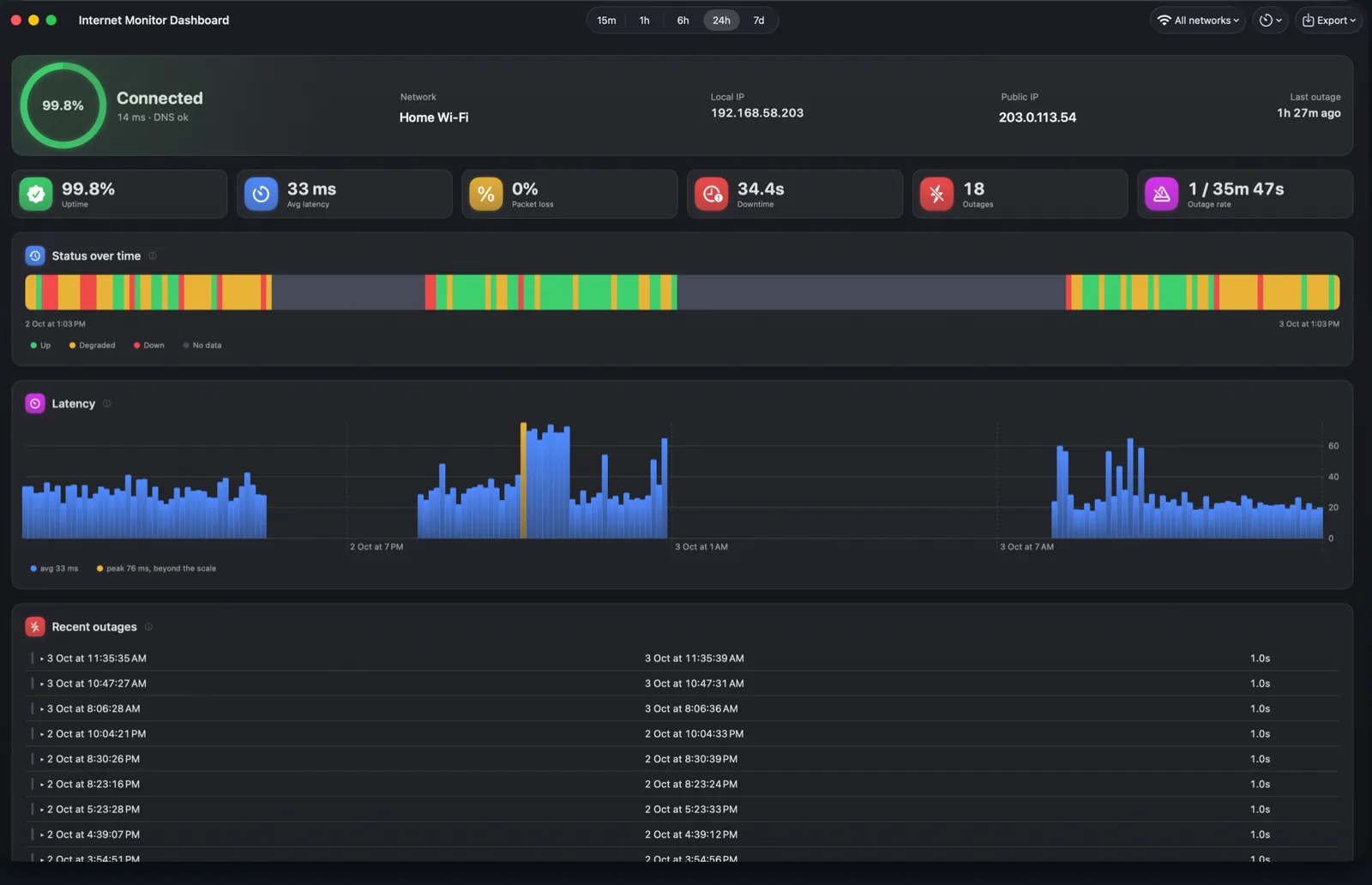
Internet Monitor dashboard showing uptime, latency charts and a list of timestamped outages
1 second
outages this short are caught and confirmed
365 days
of history, stored as plain files on your Mac
0 bytes
of your data collected, ever
One-second outage detection

Catch the drops your ISP says never happened

Internet Monitor checks your connection every two seconds, down to every second if you like. A failed check is confirmed with an immediate retry, so even a one-second drop lands in your history as a fact, not a feeling.

Expand any outage to see exactly what failed: each probe target, each latency sample, and whether DNS was still answering.
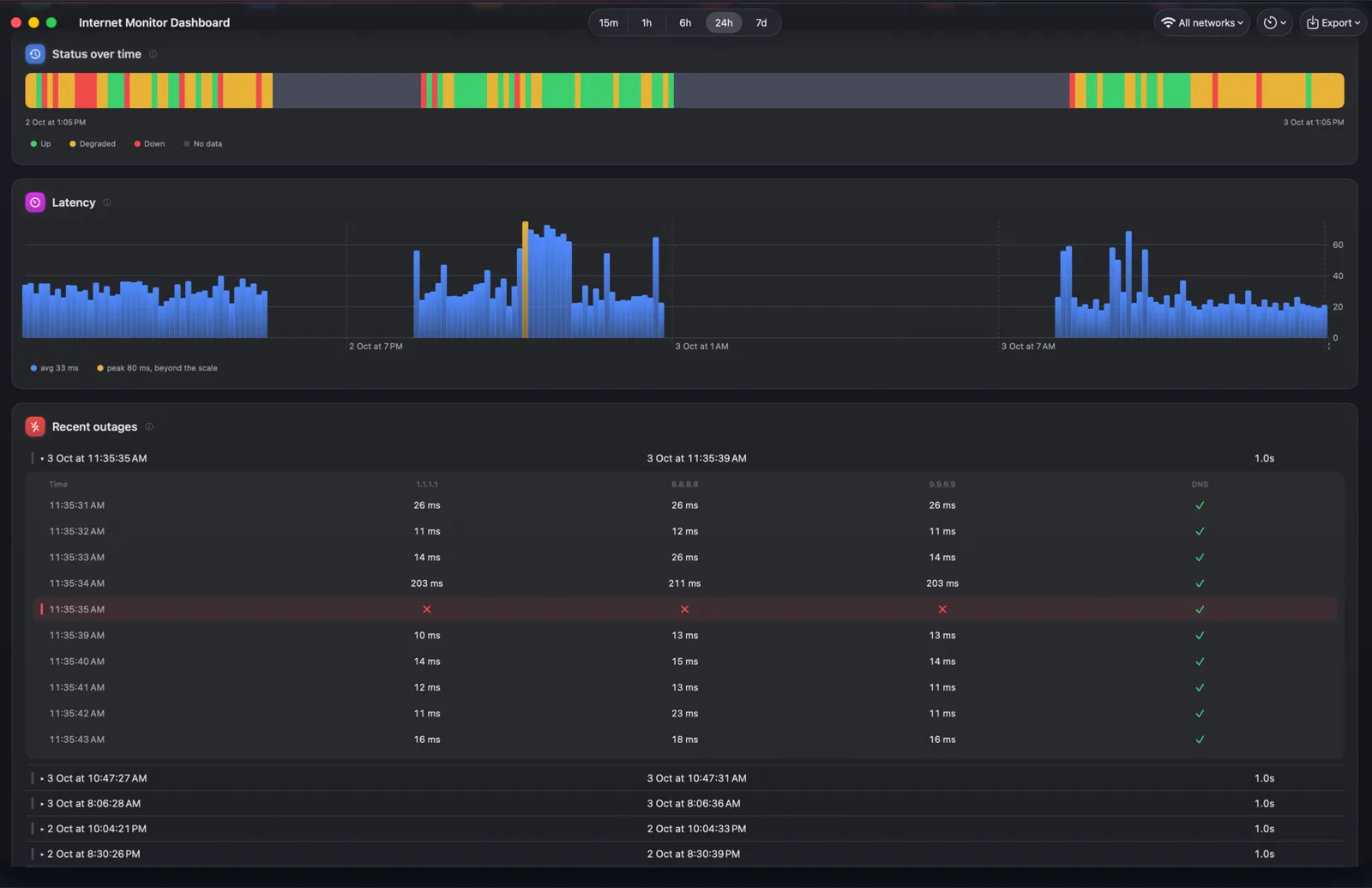
Outage drill-down showing per-probe results around a confirmed one-second outage
ISP PDF report

Proof you can send your provider

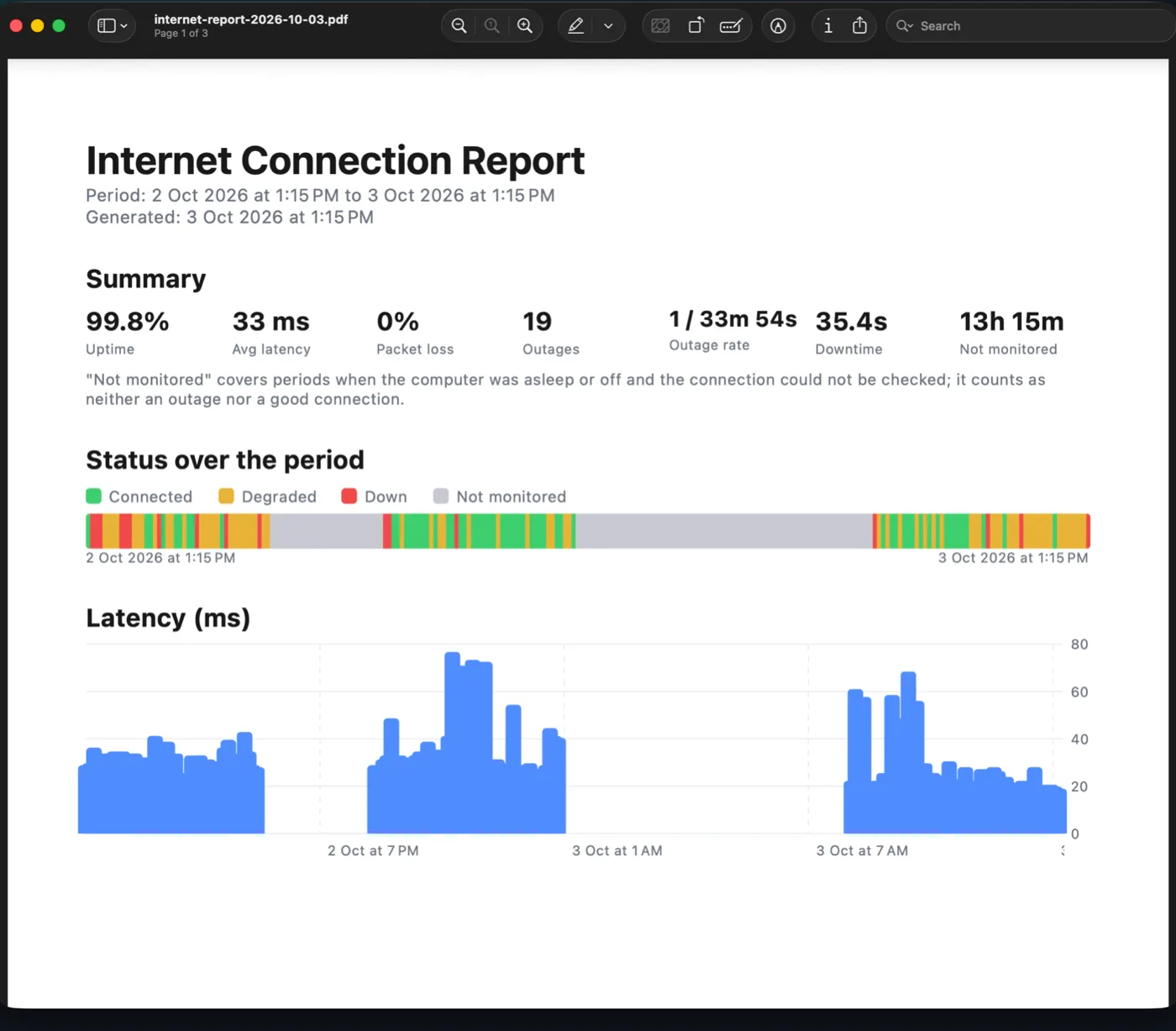
"It feels unstable" gets you nowhere with support. Pick a period and a network and get a tidy PDF: every outage timestamped, uptime and latency per day, ready to attach to your complaint.

Let the data argue for you.

Generated PDF internet connection report open in Preview, with summary stats and charts
Per-network evidence

Evidence that blames the right network

Every check is labeled with the network it ran on. Home Wi-Fi, office, hotspot: each keeps its own uptime, outages and report, so your complaint only blames the provider that deserves it. No other monitor does this.

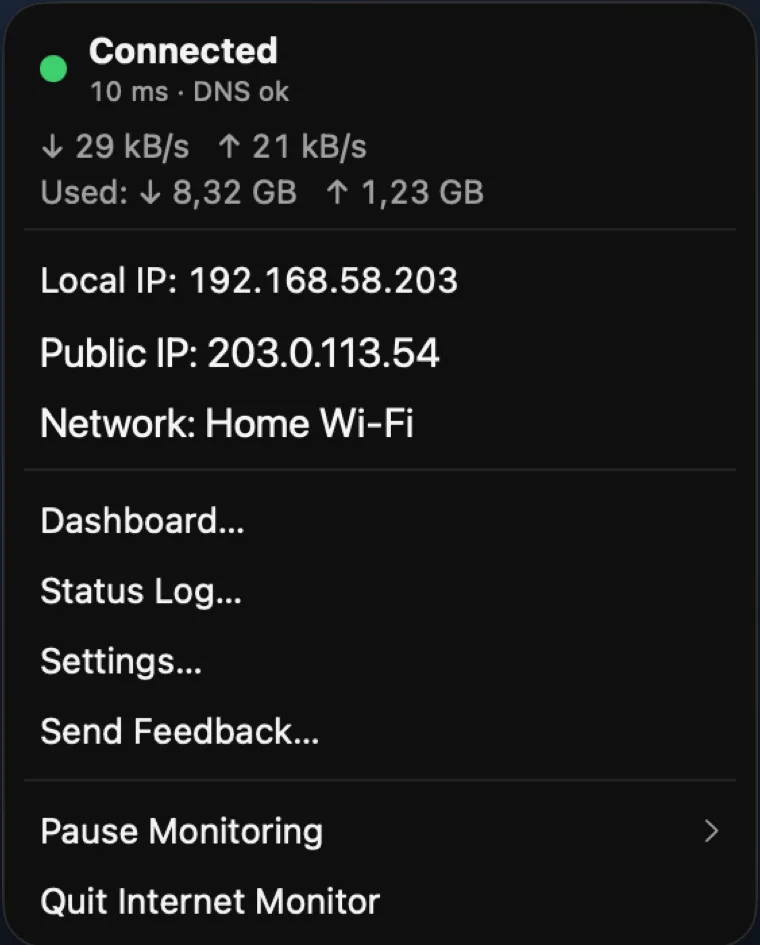
The menu bar panel keeps the essentials one click away: live latency, DNS health, local and public IP, bandwidth and data usage.

Menu bar panel showing connection status, bandwidth, IPs and the current network name
Smart notifications

Know the moment it drops, and returns

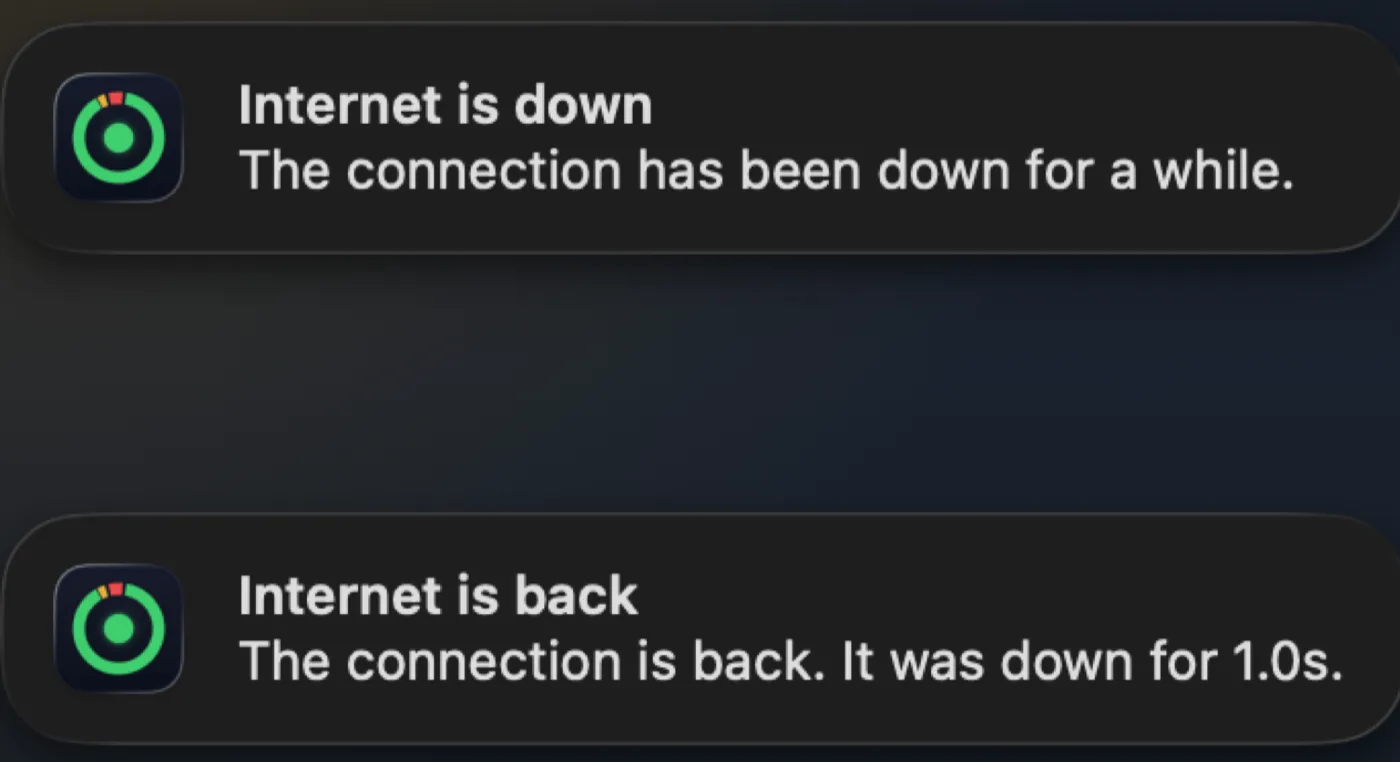
Native notifications when the connection goes down and when it comes back, with the outage duration. Set your own threshold and sound, and repeated flapping collapses into a single "unstable connection" notice instead of a storm.

macOS notifications: internet is down, and internet is back after 1.0s
Only here: bundled MCP server

Ask your AI about your internet

"How was my internet this week?"

A bundled MCP server lets Claude, ChatGPT or any MCP client answer from your own local data: uptime, outages, latency, per network. One-click install for Claude, a short setup for everything else.

Your measurements never leave your Mac; your AI comes to them. No other internet monitor has this.

Set it up in one click →

Onboarding screen: ask your AI about your internet, with an Install Claude Extension button
App Privacy: Data Not Collected

Private by design

No account, no analytics, no tracking. Everything the app measures stays on your Mac as plain files you can export anytime. The app only talks to the internet to measure it.

Read the privacy policy

Live bandwidth and usage

Current up and down rates plus cumulative data usage, read locally from interface counters.

Your cadence

Check every 1 to 10 seconds, changeable from the dashboard toolbar. Each check is a few hundred bytes.

Honest measurements

Wi-Fi off or cable out is never logged as an ISP outage, and stats weigh by time, not by sample count.

Raw data export

JSON and CSV export of every check and outage, for your own analysis or scripts.

Custom probe targets

Point the checks at your own server or router, with a configurable port.

Native and lightweight

Built in Swift and SwiftUI. Around 0.5% CPU while monitoring, with optional launch at login.

Stop arguing with your ISP. Start proving.

One purchase, every feature included. No subscription.

Download on the Mac App Store

US$4.99 · macOS 14 or later